Patient account and profile
Link the patient to the correct hospital record and manage personal account details.
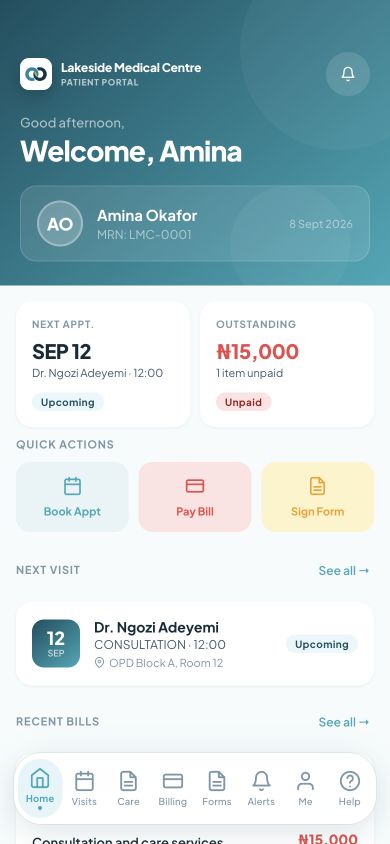
Patients need a clear next step before and after care. The CareFlow360 patient experience brings selected hospital actions to a phone while the hospital controls what is released.
Follow the work and the decisions behind this page.
The hospital helps a patient link to the correct care record.
Patients can review appointments and complete assigned forms.
Results and care information appear when the hospital makes them available.
Patients can review bills, notifications and available support options.
Explore the capabilities that support each part of the work.
Link the patient to the correct hospital record and manage personal account details.
Explore available appointments and review booking details shared by the hospital.
Review and respond to appointment offers when the hospital uses a waitlist.
Join an eligible virtual appointment when telemedicine is enabled for the service.
View the health information the hospital has chosen to share with the patient.
Access released results and the information attached to them.
Review shared medication information and submit refill requests through the available pharmacy service.
See referral instructions, follow-up dates and the next actions shared by the care team.
Review bills and use the hospital’s enabled payment options, with payment status available for follow-up.
Complete assigned forms and consent steps before or after a visit.
Upload patient documents for the hospital to review in the relevant workflow.
Keep up with appointment, care and service updates shared by the hospital.
Find product guidance and send a support request when further help is needed.
See how this page connects with the rest of the platform.
Explore your hospital’s patient journey with a CareFlow360 demonstration.